Open source · MIT · macOS, Windows, Linux
Your AI,
organised into a team.
Eleven roles, one loop, shared files. Drop one folder into any project and your coding agent works like a full software team: product, design, architecture, engineering, QA, DevOps, security and docs, led by a CTO.
11 roles1 loop0 servers
Fig. 1Eleven strings, one loop. M-theory needs eleven dimensions to unify five string theories. eleven unifies eleven roles into one team.
01Install in a minute
One folder.
Invisible to git.
eleven installs to ./eleven in your project and hides itself with .git/info/exclude, so your repo and your teammates never see it. No dependencies, no server.
Clone the kit once
One copy on your machine serves every project.
Install into a project
Copies
eleven/in and hides it from git. Run it again any time;--updatenever touches your work.Tell your agent to lead
Claude Code, Codex, opencode, Cursor: anything that reads
AGENTS.md.
Then tell Claude Code, Codex, opencode or Cursor:
Read eleven/AGENTS.md and act as the CTO. New item 001: <your idea>. Start at step 0.
02How it works
A loop,
not a long chat.
Long chats rot: context fills with noise and the model forgets its own decisions. eleven gives each task a fresh agent and keeps memory in a small, rewritten set of files called the ledger.
- 01
Intake
productProduct writes a brief with testable criteria. You approve.
Gate - 02
Plan
ctoThe CTO writes a short strategy and seed tasks.
- 03
Explore
architectThe architect maps the hard part, the options and the pitfalls. No code yet.
- 04
Manage
ctoThe CTO picks exactly one next task for one role.
- 05
Execute
any roleA fresh agent does that task and files a report with evidence.
- 06
Verify
qaQA checks every criterion. A red check beats any "done".
- 07
Ship
ctoMerge and release small and often. You accept.
Gate
Guards
- 10 round budget
- No-progress stop
- plan.md ≤ 4k chars
- notes.md ≤ 8k chars, rewritten
- Open questions pause for you
- One task per fresh context
03The team
Eleven roles.
You're the CEO.
Each role is one short Markdown file: what it does, what it never does, and when it's done. Not every task needs everyone. A bug fix is just CTO → engineer → QA.
CTOlead
Runs the loop. Plans, picks the next task and role, merges, ships, and enforces the guards.
Product manager
Brief, scope, non-goals, testable acceptance criteria.
Designer
Flows, screens, every state, real copy, accessibility.
Architect
The core difficulty, the approaches, interfaces and decision records.
Backend
APIs, domain logic, data, safe migrations. Test-first.
Frontend
Web UI built to design in every state, accessible and fast.
Mobile
iOS and Android: offline, app lifecycle, permissions.
QA
Verifies every criterion with evidence. Can veto "done".
DevOps
CI, deploys, rollback, observability.
Security
Threat models and reviews. High severity blocks shipping.
Tech writer
README, docs and changelog that match what shipped.
YouCEO
Approve the brief, answer questions, accept the result.
04The live UI
See your team
work.
Open your project folder in the browser. The page reads the ledger while your agents write it. Files stay on your computer.
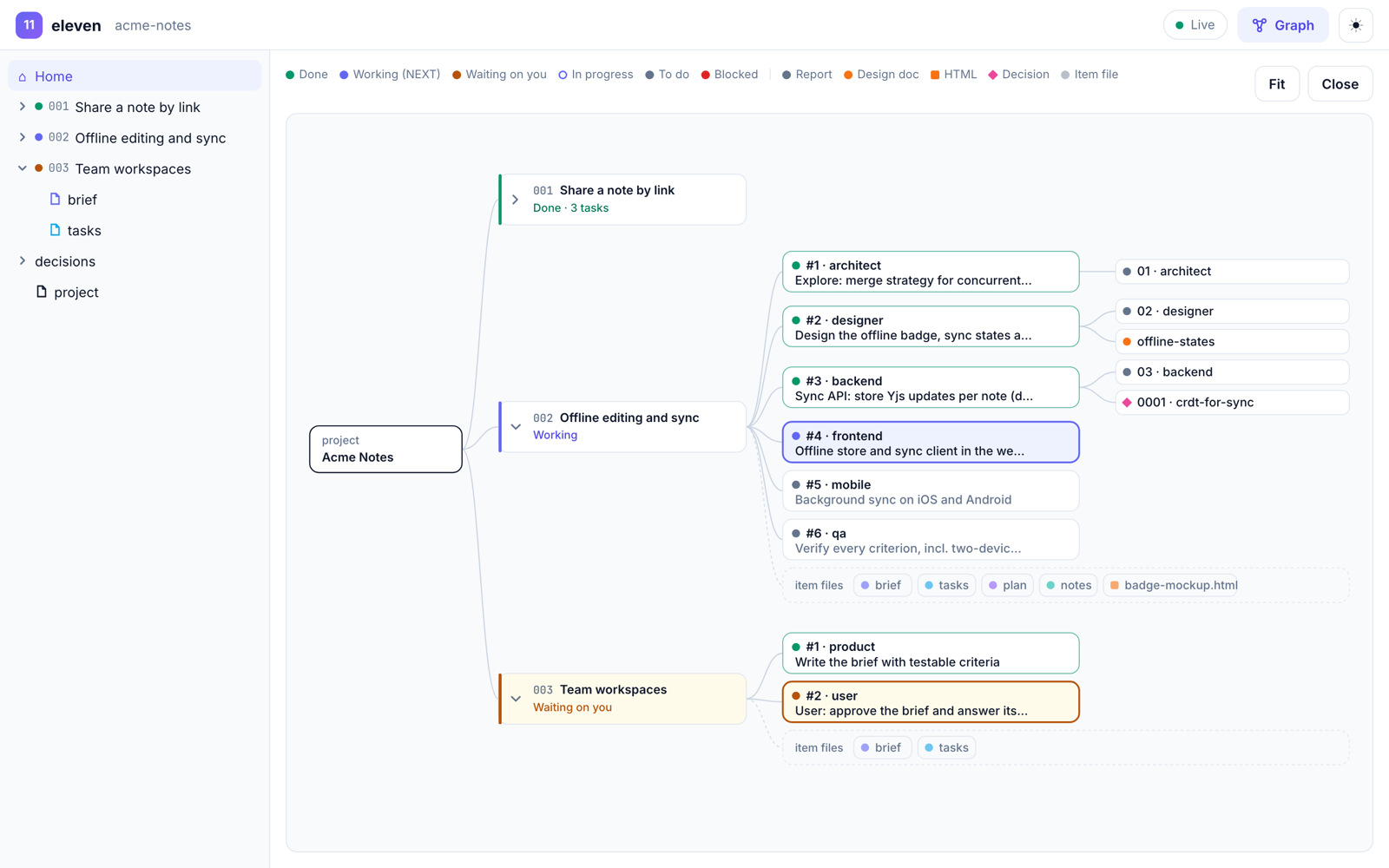
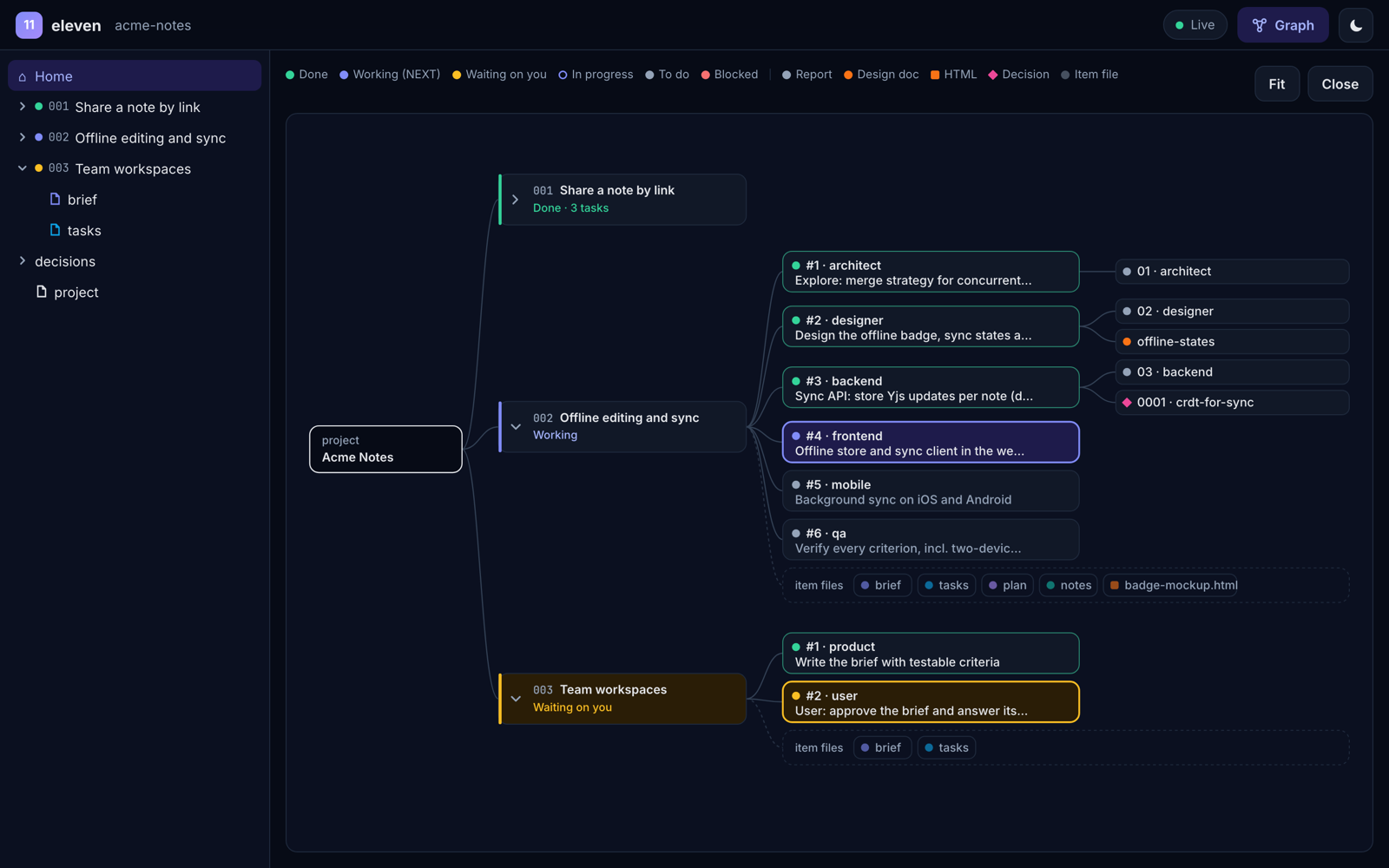
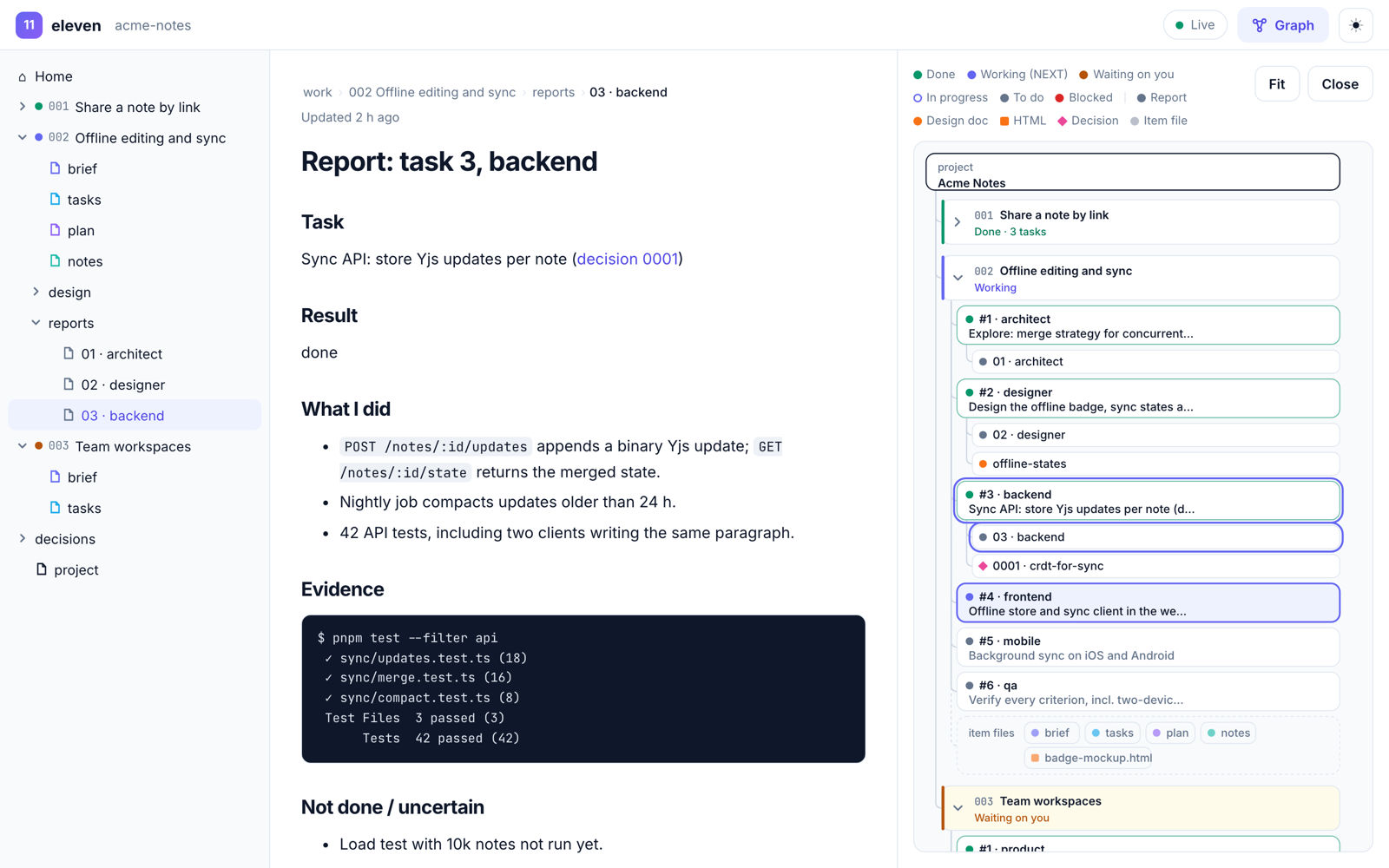
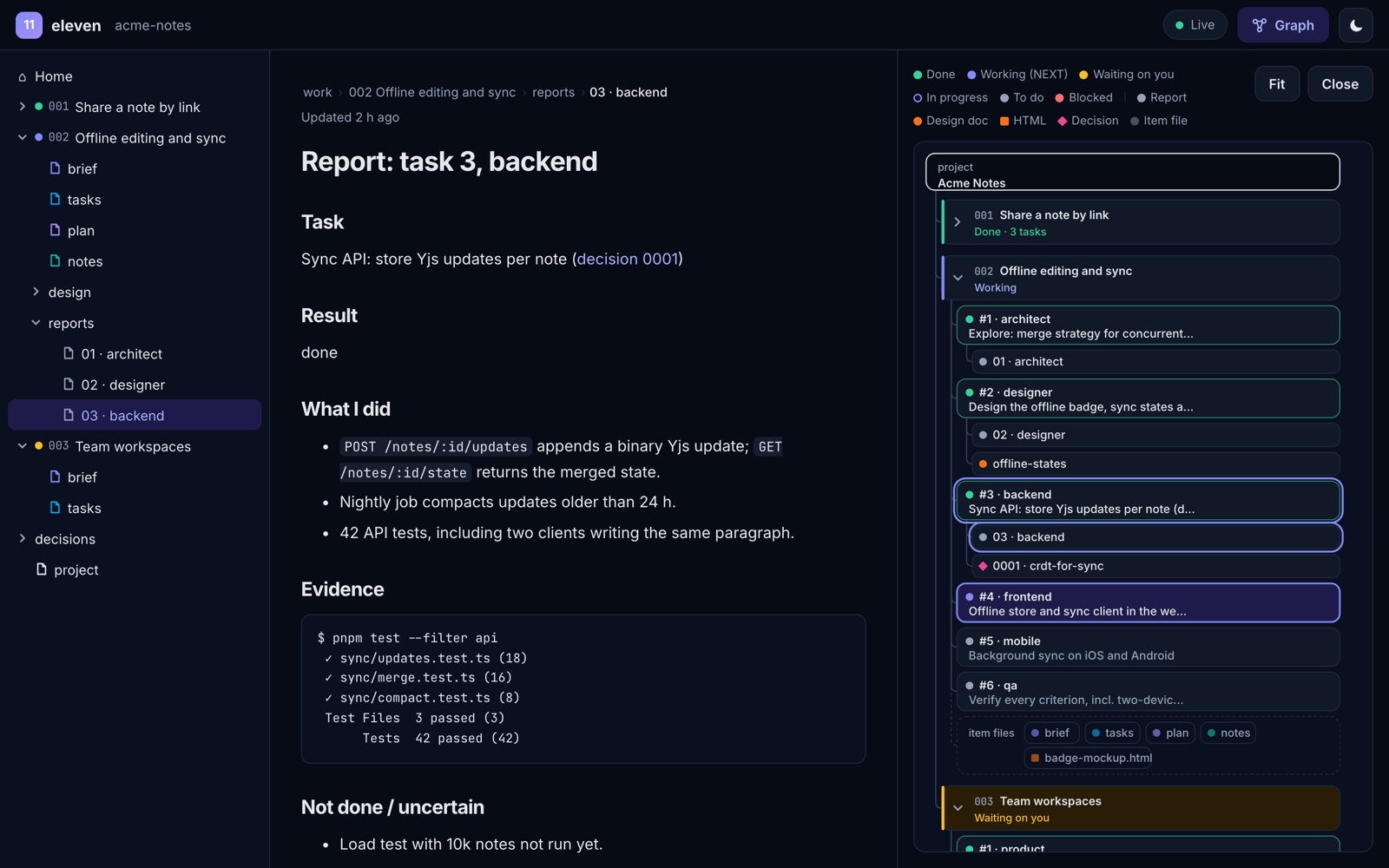
Project → items → tasks → outputs
The work graph shows every task, coloured by status, with the reports, designs and decisions it produced. Click any node to open it.
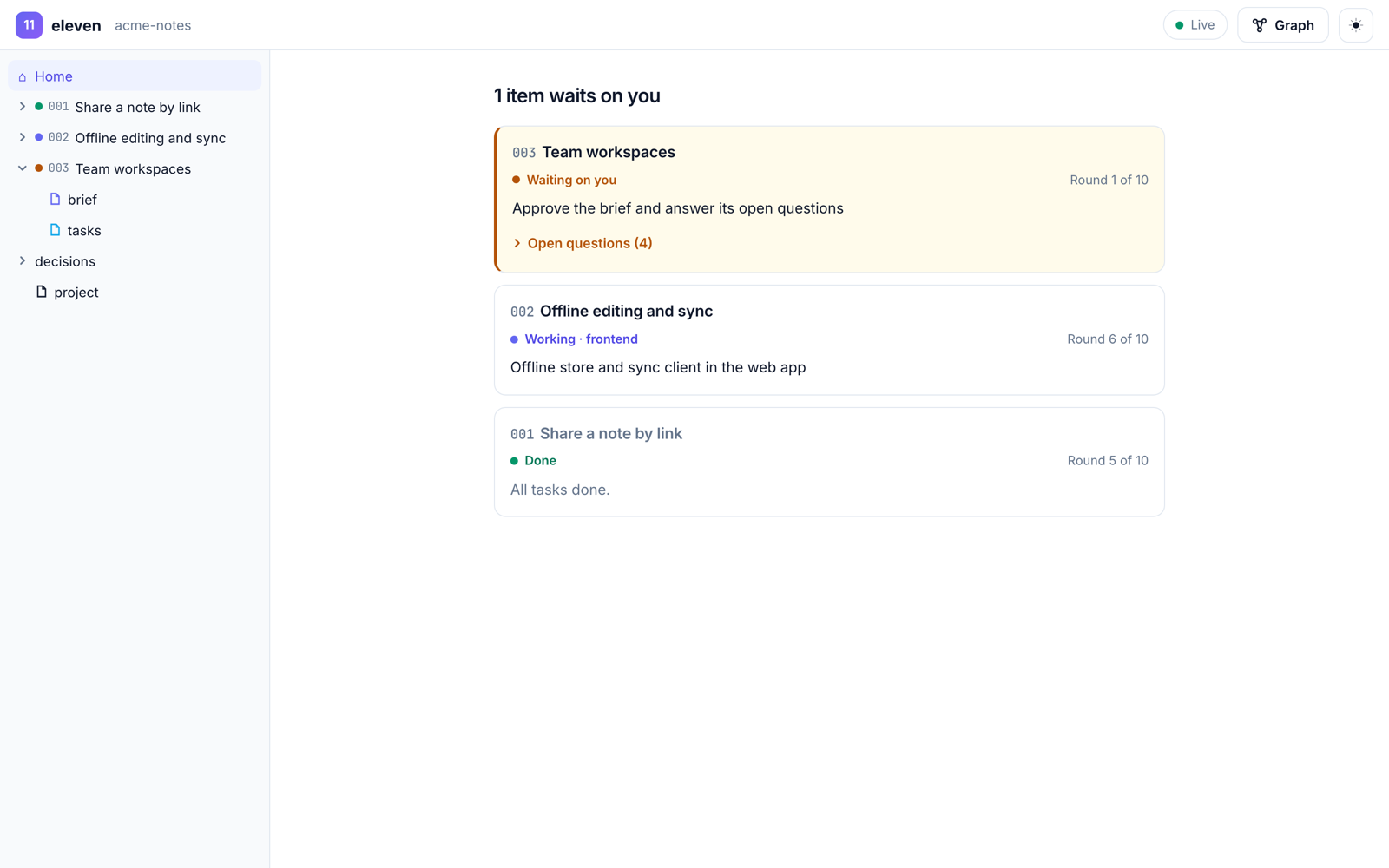
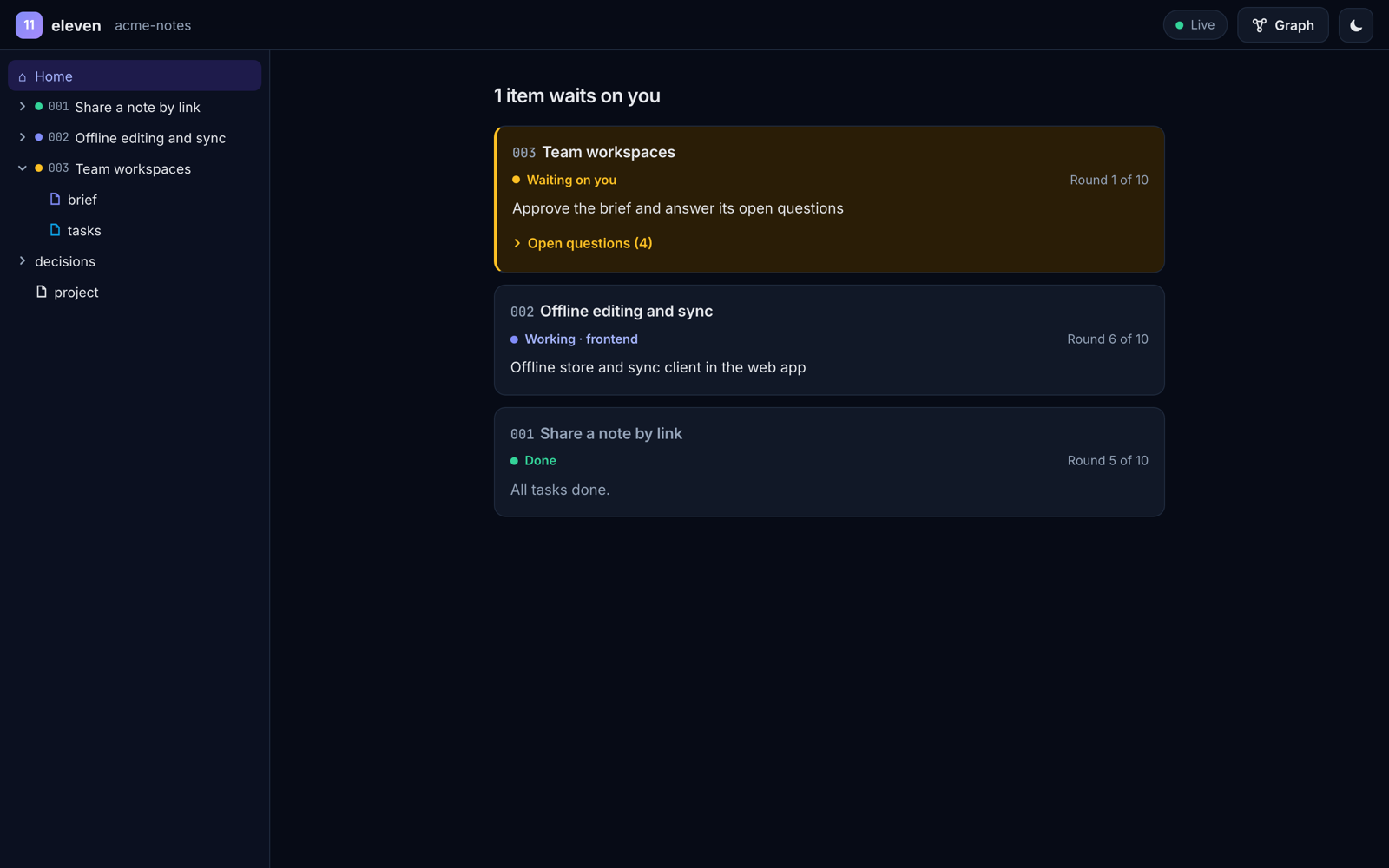
What's happening, what waits on you
One card per item. Items that wait on you come first, in amber, with their open questions folded away.
Read it like Obsidian
A file tree on the left, the doc in the middle, the graph beside it. Paths in a doc are links. Light and dark.
05Built on research
Organisation beats
raw model size.
eleven's loop comes from GVS5H (Gao et al., 2026): one model, split into a manager and fresh single-task workers that coordinate through files on disk.
points on hard LiveCodeBench problems for Qwen3.8-27B.
An orchestrated cheap model beat a frontier model…
…at about 9% of the cost.
- Decomposition: one task per call keeps every agent focused.
- Persistent context: the ledger outlives any single conversation.
- Reasoning on disk before code: notes first, then implementation.
- Verifier override: a failing test beats a confident "done".
To be fair about itThe scaffold uses about 3× the tokens of a single call, strong models gain least, and some configurations got worse. eleven adds the roles a real product needs (design, security, DevOps, docs) and keeps you at every gate.
Source: Gao et al., 2026, arXiv:2608.26480
06Why eleven
Small enough to read.
Strict enough to trust.
The whole kit is about 25 Markdown files. Read it in fifteen minutes, then change anything.
Works with your agent
Claude Code, Codex, opencode, Cursor: anything that reads AGENTS.md. No lock-in, no framework.
Live UI in the browser
Open your project at eleven.rtima.org/app or locally: a file tree, a reader for every doc, and a work graph. It updates every 2 seconds and nothing is uploaded.
Waiting on you, first
When the next step is yours, that item's card comes first, in amber: one line on what to do, with the open questions folded underneath.
Evidence, not vibes
Every report pastes the real build and test output. QA re-runs it.
Decisions on record
Expensive choices get a one-page record, so nobody re-argues them next month.
install.ps1
Cross-platform
install.sh for macOS and Linux, install.ps1 for Windows. Safe re-installs; --update never touches your work.
07FAQ
Questions,
answered.
Q1Does it cost more tokens?
Yes, often about 3× a single chat for a full loop. You buy fewer reworks, fewer surprises and a written trail of why. For tiny fixes, skip roles: CTO → engineer → QA.
Q2Does my code or ledger go anywhere?
No. eleven is just files in your project. The live UI reads your folder in your browser through the File System Access API; nothing is uploaded.
Q3Which browsers support the live UI?
Chrome and Edge give live updates. Firefox and Safari open a snapshot; pick the folder again to refresh it. Either way the files stay in your browser and nothing is uploaded. HTML files from the ledger open in a sandboxed frame.
Q4Will my teammates see it?
No. It's excluded through .git/info/exclude, which is local to your clone. To share the ledger with your team, remove that line and commit eleven/work.
Q5Can I change the roles?
Please do. When an agent repeats a mistake, add a line to its role file. That's how your team learns.
Stop chatting.
Start leading.
Give your agent a team, a loop and a definition of done.